Sunday, September 29, 2024

Buying a Raspberry Pi Display and Keyboard by Shopping on AliExpress

This is likely one of those stories you might know the ending of before it starts. Perhaps, but I'd like to document it here for others contemplating similar projects.

Over the last three months, I have been buying a number of things from AliExpress in China. Mostly small things that may be useful in my office or workspace. Things I might look to Amazon to buy, but I wanted bargains. And my purchases have been mostly positive: a keyboard brush, a USB multidock for my desk. Shipping is the killer, waiting weeks for a package with sketchy tracking vs. Amazon and likely next day delivery.

The Project

With a new portable worktable I set up, I was looking at upgrading my ability to quickly set up a Raspberry Pi. The bill of materials (BOM) I settled on:

  1. A 15" HDMI LCD screen, light and portable
  2. A foldable mechanical keyboard with backlit keys and touchscreen

Coping With AliExpress Pricing

A quick side note on AliExpress pricing:
Different shops can have different prices. Prices might fluctuate day to day. There are discounts for using "AliExpress Coins" but often not much. If you log in with another account or no account you might get a different price, perhaps lower. It's the Wild West. Also note some things ship free with a $10 or higher purchase, some ship for a cost the vendor calculates.

Also, there is a chance you will not get something you ordered but get something else far less expensive as a scam. I ordered a $17 Windows laptop and I'm likely only getting a keyboard! AliExpress has a dispute process and using PayPal provides some protection also. 

Shopping AliExpress

After searching AliExpress for a keyboard and screen, I chose:
  1. 15.6 -Inch Portable Monitor Touchscreen 1920*1080 For Laptop XBox PS4/ 5 Switch Cell Phone PC Extension Mobile Touch Mointor from Lanlipu Monitor Factory Store $77
  2. RK925 Kludge Foldable Mini Mechanical Keyboard, choice of key action (blue, brown, red) $38
The link to the keyboard is another store at nearly twice the price - the original is no longer for sale on the store I selected to order from.

The Keyboard


I'll start with the keyboard. I didn't do a lot of research outside AliExpress (a mistake). Reviews elsewhere were mixed but it was backlit and mechanical with choice of key action.


I bought it on September 8th and it shipped September 9th. It cleared customs September 12th, then it was listed as delivered. But the delivery was a 16KG package in Memphis, Tennessee according to FedEx. I was waiting for a 1KG package to Florida. I filed a complaint but was offered only $34 refund on a $38 purchase. Rather than fight, I took it and chalked it up as a lesson in not shopping around.

Update: I bought a white one with brown action on Amazon for $55. It works fairly well.

The Display


With the monitor, I did look around AliExpress, but I didn't look on other sites (again a mistake). I found what I thought met my criteria. I ordered it for $101 on September 8th. In watching it ship I saw that the same monitor was now listed for $78. I cancelled the first order, as it hadn't shipped, and ordered the monitor at the lower price. 

The shop messaged me (on their intrasite messaging system) asking why I cancelled and I told them I ordered again at the lower price. After a couple of days I emailed asking why it hadn't shipped and the representative said they were trying to figure out a way to ship it which was economical yet wouldn't arrive broken or outright missing.  They then asked about my satisfaction with their service. I might have given them a 2/5, but I wanted the product, so I said 4/5. That was enough for them to send the unit. It seems at that price they may have been breaking even (at $101 they would be doing fine). They shipped it September 17th, arrived to the US shipping company (FedEx) and to me by September 28th. Not the worst but slow.

A Review of the Monitor


The monitor was shipped in its original box, no outer box. It fared fairly well. Instructions on handling outside the box were in Chinese. Inside, the monitor was protected by foam and faired well.


My first impression was it is larger than I expected. A quick measurement confirmed it was 15.4" diagonal. Maybe I should have specified smaller unit for better portibility? It weighed 736grams with the protective plastic, on target and it felt light in my hands. Very slim too, like on the website, being thicker below for ports and very thin for the rest. The case was underneath and has an adhesive strip to attach it to the back of the screen, but the corners have no elastic like a tablet holder.


The accessories are decent. A USB plug and cable (US, EU, UK plug available at time of purchase). USB C and full size HDMI cables. An adjustable stand. And a user's manual in Chinese and English (the word portable is misspelled).

The Display's Menu System


The menu system is unintuitive and hard to use. There is one button below the power button which can also toggle up and down. This is used to navigate the menu system. The power button acts to return to the previous item in the menu system.

Start by pushing in the menu putton quickly. If the menu doesn't appear in the bottom right, try again. Once a menu pops up, use the control to jog down and up between screens.

The menus began in Chinese, therefore it was very difficult to find the language change option. It is on the Option Menu (3.3 in the instructions). Jog the menu system to get to a screen with three options with a word and the fourth a bar. Press the jog to get the gold lettering to go down and press it down once to get to the second item. Press the jog to get into that item. Then jog until English comes up. The menus should now all be in English.

Connecting a Raspberry Pi 5

The HDMI cable that comes with the monitor is a full HDMI to full HDMI, so it doesn't fit a Raspberry Pi 5 which has two micro HDMI sockets. I had thought the monitor would be micro HDMI so I bought a couple of lengths for that but it needs a micro HDMI plug to full size HDMI plug or use the included cable with a micro HDMI plug to full HDMI socket adapter. I was fortunate to have one. Plan on getting one if you look to duplicate this setup.

I originally used a no name USB keyboard + trackpad to connect. Everything booted up fine and the desktop is gorgeous.

Setup with a keyboard and trackpad
Setup with the Royal Kludge RK-F68 folding mechanical keyboard

I later paired a Bluetooth keyboard, from an old HP tablet and it worked fine (albeit without mouse capability). Both keyboards can work simultaneously. Then I tried to connect the Pi to the screen via a USB A to USB C cable (not included). 


The screen and the Pi did not handshake to use the screen's touch abilities. This is a downer, but I knew it could be a long shot. These type of screens are more for USB C to USB C connection to a laptop or phone, that is where the touchscreen works. I tested USB C to C with my Samsung S21 Ultra, which was listed in their manual as compatible. With the Samsung, can work as a DEX device with the screen or just as a monitor.

The monitor has a small speakers inside (firing out the back). It's not high fidelity. Using an amplified speaker on the headphone jack worked fine.

Overall Thoughts

The monitor works for what I wanted - a lightweight monitor for a Raspberry Pi 5. The 1920x1080 screen is beautiful and lightweight. It comes with a stand and a cover, power brick and cables - not all the cables were needed but good all the same. A 14" or even 13" screen would have probably sufficed and saved some carry space. 

Changing the menu system to English was the hardest part and not being able to use the touch capability with the Pi is a downer, but I'm unsure if other products on the market will be able to either. I'd prefer built-in speakers at this point but for a lot of Raspberry Pi work, sound isn't needed. For YouTube casting , the sound can come from the phone.

Overall This was not bad for $77. But the price is now $101 which is in the same ballpark as Amazon monitors with similar capabilities (US pricing, your country may vary). I'd definitely say shop around if you're looking for a portable monitor as the price and support from name brand sources may be better than an AliExpress seller. But if you're willing to see if this vendor or another can provide you a bargain, I'd say Lanlipu's communication was above par compared to other vendors and their product is quite good.

Buying again I'd look for a 13-14" model with stereo speakers inside, light weight, thin, and a much better menu system and a lightweight stand system and/or cover.

The combination with the RK F68 keyboard is quite good. Check out the video below where I demonstrate things (I start at time 0:53):


Sunday, September 15, 2024

Where else am I posting?


Adafruit has created a fabulous place, Adafruit Playground, where makers may post their builds with no ads. So I have been publishing more there at the moment. You can read those posts at https://adafruit-playground.com/u/AnneBarela.

30 Years Ago: Becoming Cancer Free

I don't write much about cancer these days. Between 1995 and 2005 I did extensively. As this is an anniversary, one that I may have not gotten to, I am writing down a bit of the journey I went on back then.

I was in the US Diplomatic Corps, the US Foreign Service, back in the 1990s, as a Security Engineering Officer.  It was a niche job for an Electrical Engineer, but we were traveling the world. In the early 90s, we lived in New Delhi with our infant daughter. In 1993 I was getting hip pain and was prescribed ibuprofen. Then I was transferred to Sofia, Bulgaria. I started feeling worse, aches, chills, numbing of my extremities. And the itching started. The medical staff flew me to London for tests. Lots of tests for tropical disease were negative. But a chest x-ray led to finding out I had Hodgkin's Lymphoma, a cancer of the imune system. I flew back to Bulgaria, we packed suitcases and flew back to Washington.

In DC, I was diagnosed with stage 4BE Hodgkin's, the most advanced. It was throughout my lymphatic system, my lung, and in my bone marrow. I was given a 45% chance of survival. I started on a fairly new chemotherapy, ABVD, along with Neupogen to stimulate my white blood cell production and the new Zofran antinausea medicine ($20 a pill). Treatments were torture and days after I was very bad off. I still was working as my doctor said I might need a bone marrow transplant afterwards. All during this my second daughter was born. I wanted to live to see my daughters grow up.

About 30 years ago, in the Fall of 1994, I was declared in remission. There was no sign of the cancer. I still had a high chance of relapse so there was no time to celebrate. Many visits and tests to see if it had returned. Those checks became less frequent. At 5 years, I asked if I could declare victory. "No, maybe 10 years." Then at 10 years, it was "Visit if you feel ill." I have never really been able to celebrate beating it. The process was hard for my family. It was very hard for me. And the uncertainty of relapse was always haunting me.

My daughters have grown into accomplished women. I retired from the Foreign Service in 2018 after 30 years of service. I'm in Florida now and happy. And I'm celebrating 30 years being cancer free. I deserve that much.

Wednesday, March 15, 2023

Restoring an IBM PS/2 Model 55SX


Tackling this IBM PS/2 Model 55SX next. Learning about reviving Microchannel Architecture machines.

Sunday, February 5, 2023

Vintage HP Disc Memory Division T-Shirt 1983


I worked for the HP Disc Memory Division in Boise Idaho, during the summers of 1981, '82, and '83. It gave me the money to almost afford to go to Whitman College prior to attending Caltech the following two years under a 3-2 Engineering Program.


In the Summer of 1981, I worked with a microscope 8 hours a day soldering wires on disc heads. 

HP7935

The Summers of '82 & '83, I worked on the HP 7933/7935 disc drive (Wikipedia) assembly line. I did multiple jobs, wherever they needed me: installing blower motors, making the assembly the disc packs went in ("the tub"). The units were the size of a small dishwasher. And they were finicky to make. They had 7 platters, 14 heads, so a lot could go wrong. When they failed burn-in testing, they'd be sent back to change out a possible defective part. It kept us very busy! 

I think the shirt above is my only one to survive to this day. It has the HP logo on the front. On back it has a person holding up a barbell with words depicting issues encountered. The text says "B.F.D. does it under pressure". BFD referred to the unofficial name HP gave the HP7933/35 units: "Big F'in Drive". At 404MB, it was much larger than previous units (the HP7920 had 50MB).

If anyone is interested in this piece of Hewlett-Packard history, contact me on Twitter @anne_engineer. BlueSky at @anneb@bsky.social or Mastodon @anneb@octodon.social. 


IBM 5170 PC/AT Upgrades


For the last few days, I set aside the IBM 5160 PC/XT and put the 5170 PC/AT back onto the bench. I got another AST Advantage! card with 2MB on it. I also got the IBM Model M with silver badge and status indicator LEDs as a permanent match to this PC.

I added one row of 256 megabit chips from another AST card to the newly acquired one and put it in. It has the daughtercard in the picture above. The remaining Advantage card has 256K on it and it's bolstering the machine at present but hogging a 16 bit slot.

I moved some cards around. The IDE hard drive controller is at the far left with a CompactFlash card with lots of software on it. I tried to use a new bracket mounted CF card holder but it didn't want to play. I swapped the modern produced 8-bit Ethernet card for a vintage 3COM 509B 16-bit model I found in my storage unit. With that, only one 8-bit slot remains. I found a Vortex2 2500 card in storage too, and that might replace the least-used memory expansion card.

Networking isn't working yet, I'll look to do that later when I get a wired network up and running (I have plans there).

With things sorted well to this point, I'll button it up again and resume with the IBM PC/XT.


Tuesday, January 10, 2023

Buying an Old IBM PC or Compatible on eBay or in Person - tips


Buying old computers is always a bit of a gamble, as is buying used items made so long ago. As long as you go into buying mode with the expectation that things may go well or not so well, you'll be best prepared for the results.

So you browse eBay or Craigslist, or go to a boot sale or Ham swap meet. There is an old IBM or compatible computer you're interested in. Here are some tips that may help you in the buying evaluation process.

1. Is it running? - Likely "no way to test" as few rarely have all the parts, period correct display, etc. Here is a list of running conditions:

  • No power applied
  • Powered up, fan spins on power supply
  • Computer beeps on power up
  • Hard disk and/or floppy sounds
  • Some display says it "boots" to BASIC
  • Some display says it shows errors or boots MS or PC-DOS

Each level down is better than the last. If there is a hard disk and it boots to DOS, that's best. Boots from floppy second, and so on. This gives you confidence in the motherboard, power supply, disk controllers, etc. More confidence in working hardware = more valuable (to you - always keep this info to yourself).

2. Exterior Visual Inspection - Why is this #2? Because #1 provides more information at first inspection.

Look at the pictures, or if you're lucky in person. Case condition counts - are there screws holding things, items loose, accessories if any.

Important: Look at the rear panel. See what add-in cards you can see from the outside. It's a really good indicator of what comes with the machine. And sellers most often have no clue and don't price up with "good cards" inside, full memory, or a coprocessor. This is the first IBM PC/AT I bought. The price was good and I was intrigued at the cards:


The left connectors look like a standard 9-pin serial and parallel port. The far right looks like a display card with parallel port. The second from the left is a 10-Base T network card and the third card could be a display but that would make two. So definitely more than bare bones here. That with two floppy drives had me intrigued. 

If you have few ports, that may be a sign the machine is a bit less desirable - the best thing is to get an...

3. Interior Inspection - this isn't always possible, try to see inside if at all possible. Many auction listings have interior pictures. 


Here you can see a lot of good info: It's a later model AT from the 512K System board. It has a Seagate ST-225 hard drive, half height, no 80287 coprocessor and lots more interesting card info. The most valuable cards are memory. The cards are, from the left, the floppy/hard drive controller, standard, IBM serial/parallel adapter, common, an IBM 128k memory board (brings memory to 640K, good!) the 10-Base T network card, an IBM Token Ring network adapter, and the far card was a dual board strange beast, which turned out to be a Wyse 700 display card, pricey in the day. 

Wow, this is better than average. The extra memory is the main bonus. Unfortunately the card doesn't hold more than 128k. The network cards are not immediately useful and the rare display card not immediately useful either (but commands $90 to $150 on eBay).

So the inspection lets you know how much bang for the buck you get. Add this to the info in previous steps.

NOTE: Unless it boots with hard drive access via a display, never assume the hard drive works. Most often they have died due to age or transit. The red light might come on, it doesn't count really. This is not a huge deal breaker as there are solutions to use memory cards holding much more instead. But a working hard drive is excellent, one with application software more so. Floppies can also not be working with dirty and/or misaligned heads. This is all about 40 year old hardware.

4. Cleanliness - if it's cleaner than not, that's great. Also if it doesn't smell like cigarette smoke or says "smoke free environment" that's good too. I had one machine that had an old insect infestation, yuck.

Ready to Decide

Ok, based on the information you have, you then need to decide if you want it. You don't want to show much emotion to the seller. Of there is a process to offer a price, you can start lower than their price. Then again, if you see lots you like, you might just want to pay their price, if reasonable. 

Know that you'll need a keyboard, display, cabling often to be able to check it out, those all cost extra, usually from other buyers. Factor that into your budget. I usually look to buy a used VGA card and hook it to a more modern LCD display with VGA connection. Keyboards can be very expensive especially for genuine IBM, but some knock-offs can be reasonable. On this machine, I got the seller to throw one in for free.

Then you use the methods for haggling and buying familiar to most people. Don't like it, don't buy it. If you find some utility, look to pay what is useful to you, which may be less than they want. If they want too much, there are likely others out there. If you see something rare about the machine, factor that into your price.

Usually there is enough stock on the market to have a pick. At the time this is being written, a drought on IBM PC/AT machines appears over and they are selling for around $300 US just the system unit. But not all machines are the same, hence the review. Also price rises depending on #1 - if it's running. Don't expect a $300 machine that boots to DOS 6.22 with a ton of software and memory. If you can find one, it's a true bargain.

Shipping

Buying in person saves money. Unfortunately these computers are heavy and shipping can be costly. If an auction says shipping free (or at a low cost), factor that as a positive. If shipping is too much, you might want to pass. And likely if the hard drives with my two PC/ATs ever worked, the harsh shipping that likely ensued trashed them. 

The buyer could park the drive heads or pack the drive in a secure box but that would be very rare and command more money as most will not do such.

Good Luck

The chance can be fun and can be frustrated. I ended up getting a second AT that had some different features than the first and the parts complement each other - like a 1.44MB floppy, an extended memory card with 128K and room for more, a coprocessor, a clock/port card. So I could use all the best parts for my build. But the hard drives in both machines failed, different reasons. And the floppies had some issues.

I hope you find some satisfaction in the hunt and digging into your finds.

From minuszero.net - some tips on language used on auction sites:

"Extremely rare"

Example:  I would list one of my toenail clippings as extremely rare, because only my clippings contain my DNA.

"Includes a certificate of authenticity"

Useful for proving the authenticity of an item that you are selling.
For example, I provide a Certificate of Authenticity with every "Genuine Loch Ness Monster's Tooth" that I sell.


"Pulled from a working system"

working  =  I turned the system on, and I either heard the power supply fan turning, or I saw a light somewhere turn on.  No smoke was evident.

"It was working the last time I powered it on"

Meaning #1:It does not work now.  I will say that it it worked the last time I powered it on.  When the buyer complains, I will say that it was working 5 years ago, and must have deteriorated in that time.
  
Meaning #2:I have no idea how to tell if it is working or not.  But, I think there's a good chance that it is working.  I do not want to list it as untested because that will put a lot of people off.  I will list it as, "It was working the last time I powered it on", and take my chances.

Sunday, January 8, 2023

Upgrading the IBM PC/AT to MS-DOS 6.22 and Windows 3.1

 You read this correctly. What a software upgrade. My floppies for Windows/286 seem damaged. so...

Going from MS-DOS 5 to MS-DOS 6.22

Once I got the 1.44M floppy recognized, the 1.44MB MS-DOS 6.22 upgrade diskettes read correctly and the install process ran fine. DOS 6.22 takes up more memory but has some nice utilities and is the most state of the art version (to my knowledge).


It's a matter of feeding three floppies to upgrade. It's kinda touchy - it really wants things just right to upgrade the DOS and you cannot use the upgrade floppies for a new install (unless there is a trick I'm unaware of). It saves the old MS-DOS in a hard disk directory folder called OLD_DOS.1 in case you need things or decide to uninstall. Speaking of uninstall, all the MS-DOS upgrades want "Uninstall Floppies", usually one or maybe two to undo the upgrade. Just a PITA in my book.

Looking in my floppy collection, I found Windows/286. But the disks appear to be damaged.

I was wondering what to do so...

Installing Windows 3.1 on an IBM PC/AT

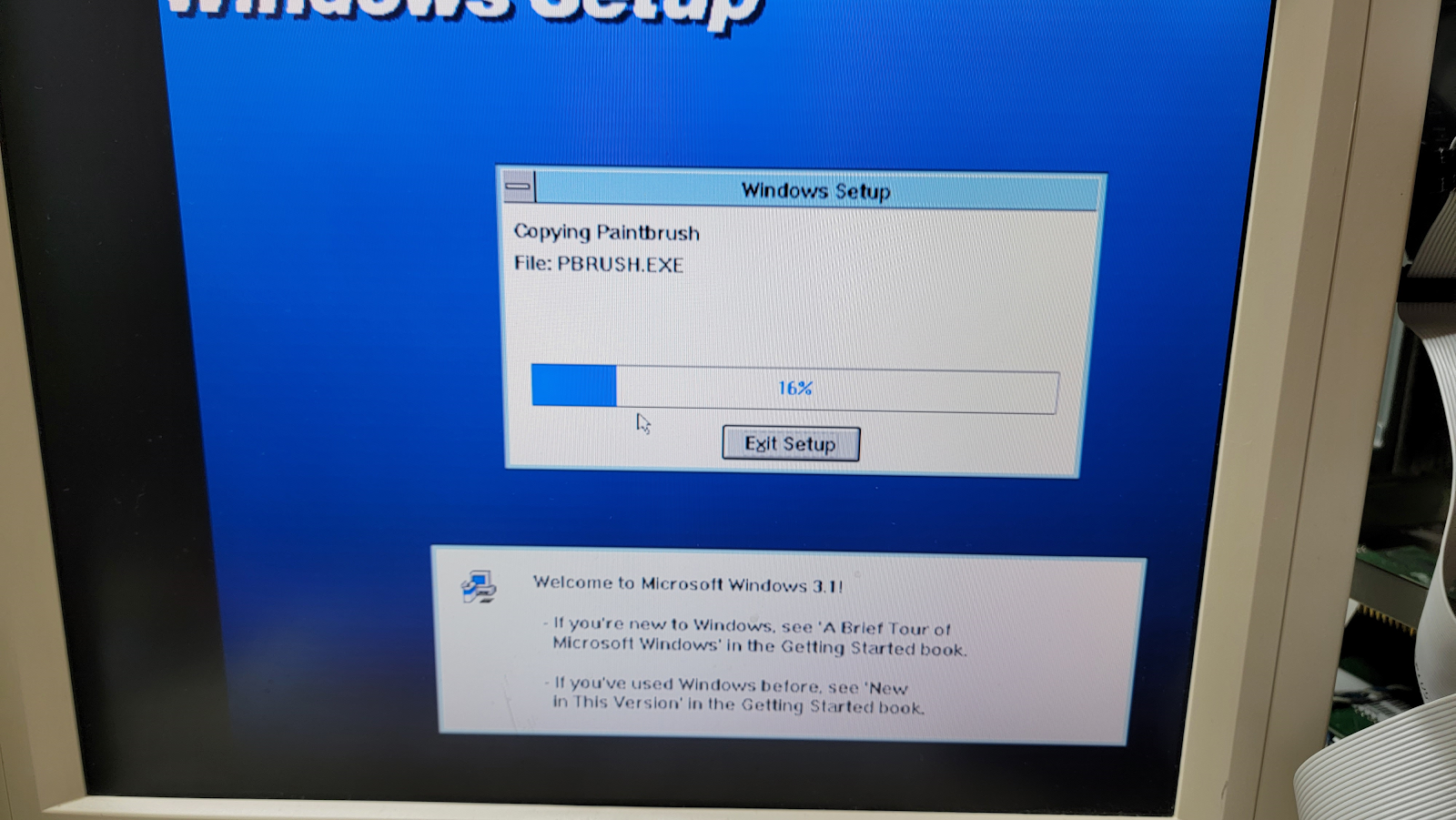
I have install 1.44MB 3.5" floppies for Windows 3.1 and Windows for Workgroups 3.11. If I remember correctly WfW wants an 80386. So I grabbed the Windows 3.1 diskettes. It talked about a mouse - lucky I got that ATI VGA Ultra card with in-port mouse built in. My 1080 VGA/DVI monitor did not like 640x400 mode so I borrowed the VGA LCD monitor from the Gateway Pentium III machine.


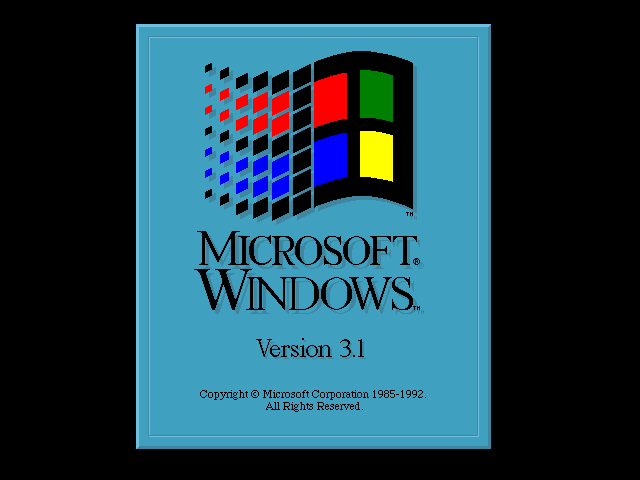
6 diskettes (119 files) later, I get the Windows 3.1 splash screen. 

The display is canted to the right. I want to adjust the screen resolution, if possible but I need to Google for that, my memory is not so clear on that and drivers doesn't seem to do display drivers to my knowledge.


Getting the IBM PC/AT to Recognize a 1.44MB Hard Disk

Lots of time this week getting my IBM PC/AT up to speed. Here's a synopsis:

Getting a New Compact Flash Hard Drive

Instead of the XT-IDE Compact Flash hard disk adapter, I switched it for a modern XT-IDE Rev 4 IDE controller card and an IDE to Compact Flash adapter. This way I can use a spinning IDE adapter or whatever later and use the old adapter in an XT machine. Much fiddling with jumpers and it worked. Same shenanigans getting it to be bootable. My latest trick is boot to DOS 3.1 then upgrade to DOS 5. That seems to work well. I now have a 128MB Compact Flash SSD working in the AT.

Getting the Sony 1.44MB 3.5 inch disk drive working

Even though my machine is the latest revision of the PC/AT made, with a BIOS dated 11/15/1985, the IBM Diagnostics Diskette (version 2.03) setup only has 360k, 1.2M and 720k floppy drive options. The BIOS does have code for 1.44M 3.5" drives. But how to set that? I went back to minuszerodegrees.net here and there is a third party program called GSETUP.EXE that can set the right drive type. Yay!

I just needed it on my Compact Flash hard drive. To do so, I used my Tweener Pentium III/500 to read the file off a thumb drive then write it to the Compact Flash card via a USB to Compact Flash card adapter. Yes, this is a lot of hardware for this type of work. I could have copied it to the Compact Flash from my modern desktop but I'm not that smart. It did allow me to copy GSETUP to my MS-DOS 5 boot floppy - likely why I chose that route.

With GSETUP.EXE, I ran it (no special boot required and indeed I could chose 1.44MB 3.5" drive as a choice for drive B. Then I could read and write high density 3.5" drives like I should. Yay!

See the next installment for upgrading DOS & more.


Tuesday, January 3, 2023

Getting a non-functional IBM PC/AT up and running is hard

 It's been a long time without posts. Maybe I can correct this.

A couple months ago, I took the plunge and got an IBM PC/AT. I've wanted one for almost 40 years. I have an IBM PC, two PC/XTs, and a 5160 portable. A 5170 is next in line ATs were very hard to get for the last couple years but units are showing up on eBay with various descriptions, usually untested. No keyboard, monitor, cables, etc. So one goes off a few pictures and hopes for the best.


Here is the one I got late 2022. I knew it had two floppies, some type of display card, a hard drive, a memory add-on card and two network cards. The seller threw in a non-IBM (cheapo) keyboard which was great. I got it on the bench and start to look. The Seagate ST-225 drive is unresponsive, it doesn't spin - a bad sign. It has a generic IBM Monochrome card, ok. I splurge for an ATI Ultra ISA VGA card with bus mouse off eBay. That'll allow me to use a VGA flat panel monitor.


I quickly learn that the PC/AT is not like the earlier IBMs. It keeps BIOS configuration information in CMOS rather than via motherboard jumpers. And this memory can only (mostly) be set via a special IBM 5.25" diagnostics floppy disk. If you have this problem, see this website on how to proceed. I got the disk image and took it to my Pentium III PC and wrote a disk. I did use a 1.2MB drive to write a 360K disk as my 360K drives were misbehaving. It worked, I could set parameters in the AT by booting the diagnostics disk.


I replace the BIOS memory back up battery (not corroded thank goodness) with an AA battery pack. All good. See this on the procedure.

With the diagnostics disk, I could finally boot, displaying on the monitor. I learned the AT is a model 339, 512KB memory onboard (not stacked DIP chips). Drive A works, floppy B doesn't (seek errors), and the hard drive is indeed dead.


Here are the add-in cards (besides the floppy/hard disk card not shown). From the top, an IBM monochrome adapter (plus serial/parallel), 10-base-T network card, Serial/parallel card, and an interesting IBM Token Ring network card. None immediately needed to debug/use the machine but I'm not complaining. 

I get an XT-IDE ISA to compact flash card and put in a 16MB CF card. I had issues with that until I used the XT CD-ROM in the Pentium III to mark the drive via FDISK /MBR. Then I could format the drive and I loaded PCDOS 2. I upgraded it via floppy to MS-DOS 5.0. There are a slew of XT-IDE cards out there and some don't play nice with the AT without clone ROMs which would be a huge headache. So I'm glad the one I have played ok.

Meanwhile, I didn't turn my alert off on eBay and another IBM PC/AT machine popped up at a good price. Amy bought it for me for a birthday present. It has parts that complement the PC above. I'll dive into that one in the next post.


Sunday, February 17, 2019

Using EGA and VGA video cards in IBM 5150 PC, 5155 Portable, and 5160 PC/XT Machines


I first ran into video card issues debugging the IBM 5155 Portable computer. Besides no video it beeped one long, two short on startup. I did a lot of video card switch and jumper gymnastics to try to get that straight when I should have done more digging online. Two switches on the motherboard would have probably done the trick.

So I have compiled a short primer on using EGA and VGA displays on these machines. Most of the info is from various pages of the excellent minuszerodegrees.net site but in multiple places. Hopefully having this in one place helps others.

Do note: there are alot of caveats in this and not all cards will work in all computers. One reason I don't make a compatibility table (yet) is others have done so and it gets expensive testing.


Motherboard switch settings for EGA and VGA (BIOS-containing) Video Cards
Version 1.00


IBM 5150 PC

·       The IBM 5150's motherboard must have the third BIOS revision, 10/27/82, for EGA/VGA
o   The ROM has the IBM part number of "1501476" printed on it.
o   On the 5150 motherboard, the ROM in socket U33 contains the BIOS.
o   Due to bugs, this BIOS requires that all 4 banks of motherboard RAM be populated.
·       The two video switches on SW1 (shown below) must be set for:  5=ON, 6=ON

·       Of SW1 and SW2, SW1 is the switch block closest to the center of the motherboard.
These settings apply to both the '16KB-64KB' and '64KB-256KB' versions of the 5150 motherboard.

·       If your IBM 5150 contains an XT-class hard disk controller, then be aware that some VGA cards may have a resource conflict with it.

·       Known working VGA card lists: minuszerodegrees, vcf


IBM 5155 Portable PC

The IBM 5155 contains an early version of the IBM 5160 motherboard.

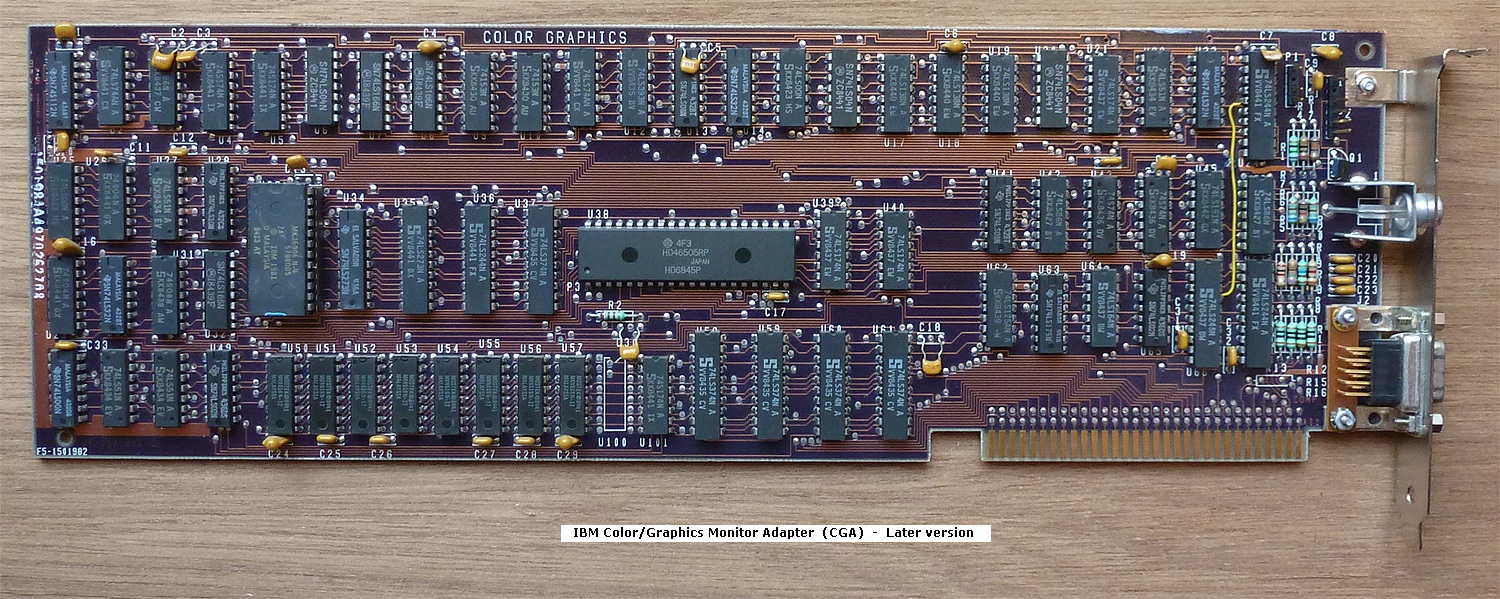
So, see below to see the 5160 motherboard switch settings, noting that the two switches for video card type are normally set to CGA (because an IBM CGA card is the card supplied by IBM in the 5155).


IBM 5160 PC/XT

·       The two video switches on SW1 (shown above) must be set for:  5=ON, 6=ON

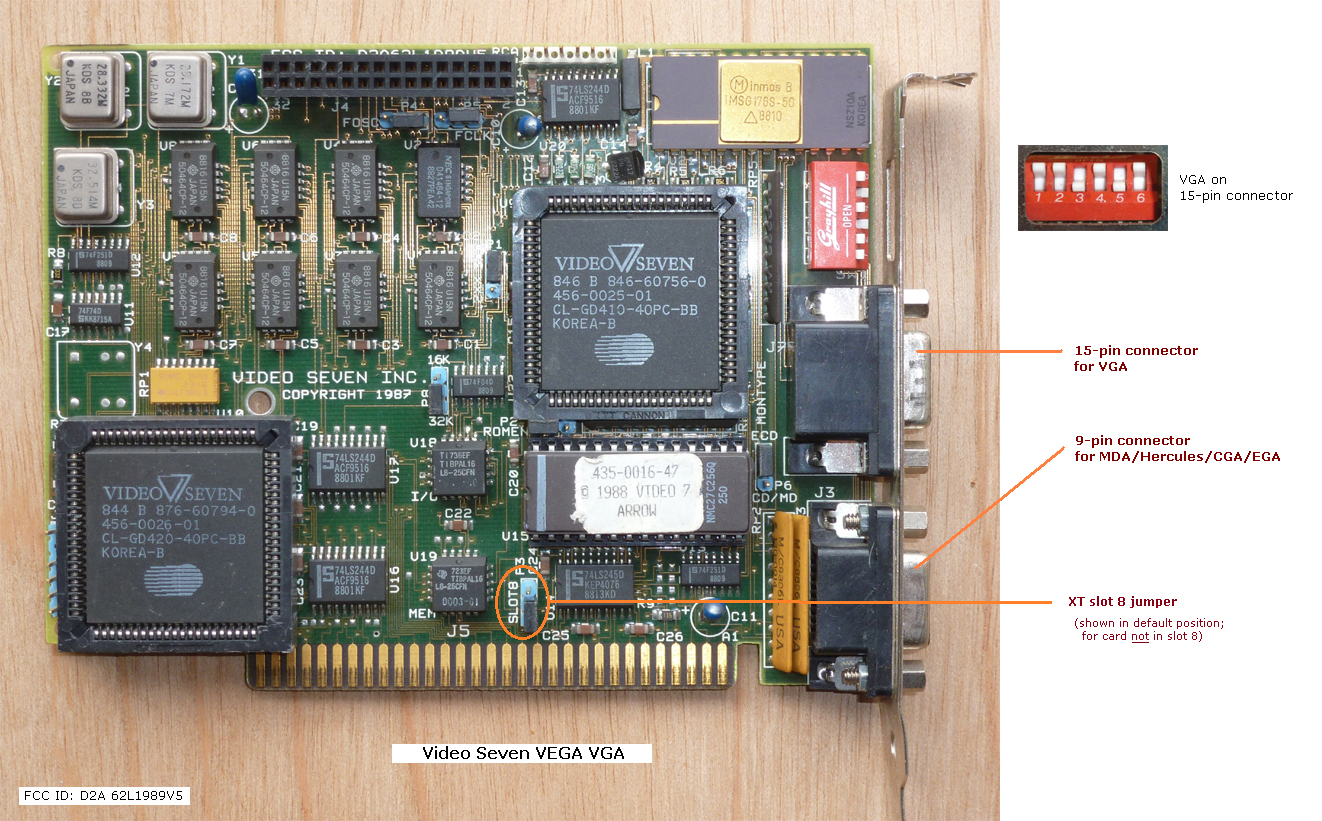
·       Do not place the card in expansion slot 8 (the slot nearest the CPU) unless the card specifically supports slot 8.  Cards that are slot 8 compatible usually have a 'slot 8' jumper.

·       If your IBM 5160 contains an XT-class hard disk controller, then be aware that some VGA cards may have an address space resource conflict with it.

·       Known working VGA card lists: minuszerodegrees, vcf


Boot Error Beep Codes for Video

1 long and 2 short beeps                    Video (Mono/CGA display circuitry) issue
1 long and 3 short beeps.                   Video (EGA) display circuitry
1 beep, blank or incorrect display       Video display circuitry.

·       Make sure the SW1 switches are in the correct 5=ON 6=ON position (above)

·       Ensure there are no conflicts between VGA BIOS/addresses and other cards

·       Be sure the video card configuration switches are correct (this could be hard without documentation)

Suitable VGA cards

•
You must not assume that because a particular VGA card works in an IBM 5160 (IBM XT) that the same card will also work in an IBM 5150.
•
The documentation for some 16-bit VGA cards indicates that they work in an 8-bit expansion slot.  You should not expect that to mean all 8-bit slots.  Many such cards are intended only for an 8-bit slot within an AT-class computer, and will not work in an IBM 5150.  The maker's documentation for the card will indicate whether the card will work in an IBM 5150.
•
Some people have discovered that certain 8-bit compatible 16-bit VGA cards can be made to work in a 5150/5160 if the 8088 CPU on the motherboard is upgraded to a V20 CPU. This may not work, though.

VGA card configuration

•
Some VGA cards have configuration switches and/or jumpers.  An example is here.  Refer to the card's documentation to ensure that those switches/jumpers are set appropriately.  For the switches, do not confuse the off position with the on position.
•
16-bit VGA cards that are known to work in an IBM 5150 PC usually (not always) need to be manually configured to run in 8-bit mode.  Refer to the card's documentation, because configuration is done differently on different cards.